

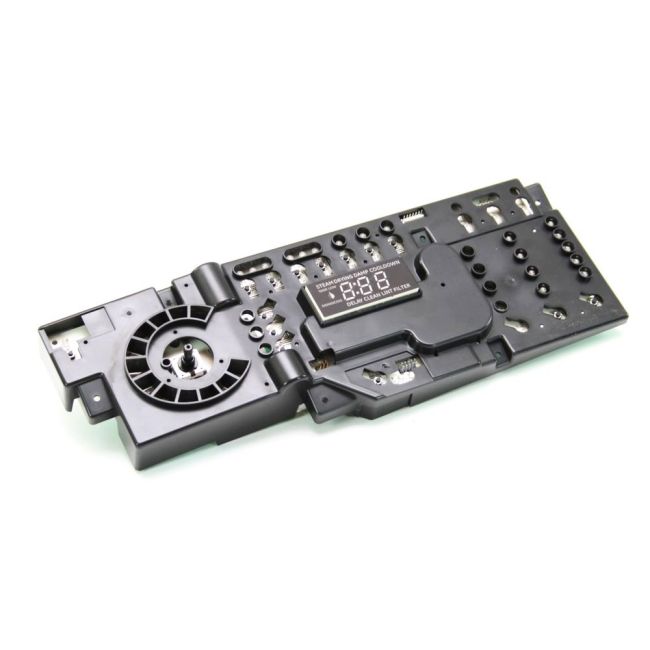
WE4M513 General Electric Dryer User Interface Board Assembly
Genuine OEM NEW Part WE4M513
Availability:
In stock
Available to ship from factory 4-8 business days
Part Number:
WE4M513
Manufactured BY:
General Electric
Condition:
Genuine OEM NEW
Payment:
Dispatched From:
ApplianceParts4All
This manufacture part number # WE4M513 replaces our competitor’s part numbers: AP4980906, 1811217, AH3487199, EA3487199, PS3487199, WE4M514, B0081E9YP4.
Special Price
$254.99
List Price
$343.99
Save 26%
Dryer User Interface Board Assembly.
This item is an authentic replacement user interface board for dryers, compatible with General Electric, Hotpoint, RCA, and Sears-Kenmore brands. The user interface board functions as the central circuit board that interacts with the control panel's buttons, enabling adjustments to the dryer's settings. If pressing the buttons on your dryer has no effect, it may indicate a need for a replacement of the interface board. Fortunately, this repair is straightforward.
To install the new interface board, start by disconnecting the dryer's power supply. Next, pull the dryer away from the wall to access the back upper panel. Remove this panel to reveal the interface board. Carefully detach the board from its brackets and disconnect the wire harness. Connect the wire harness to the new board, secure it back into the brackets, and replace the panel.
This OEM (Original Equipment Manufacturer) part is available for individual purchase and ensures compatibility with the specified dryer models.
This item is an authentic replacement user interface board for dryers, compatible with General Electric, Hotpoint, RCA, and Sears-Kenmore brands. The user interface board functions as the central circuit board that interacts with the control panel's buttons, enabling adjustments to the dryer's settings. If pressing the buttons on your dryer has no effect, it may indicate a need for a replacement of the interface board. Fortunately, this repair is straightforward.
To install the new interface board, start by disconnecting the dryer's power supply. Next, pull the dryer away from the wall to access the back upper panel. Remove this panel to reveal the interface board. Carefully detach the board from its brackets and disconnect the wire harness. Connect the wire harness to the new board, secure it back into the brackets, and replace the panel.
This OEM (Original Equipment Manufacturer) part is available for individual purchase and ensures compatibility with the specified dryer models.
Write Your Own Review
Loading compatible models...
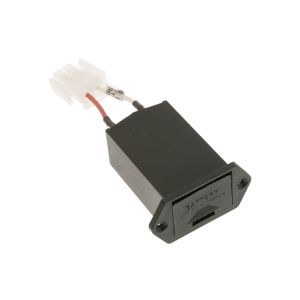
WB18K10088 General Electric Range/Stove/Oven Battery Case
Special Price
$69.99
List Price
$89.99
Save 22%
5304532516 Frigidaire Range/Stove/Oven Outer Door Panel
Special Price
$94.99
List Price
$108.99
Save 13%
ADD71917409 LG Refrigerator/Freezer Door Foam Assembly
Special Price
$278.99
List Price
$365.99
Save 24%