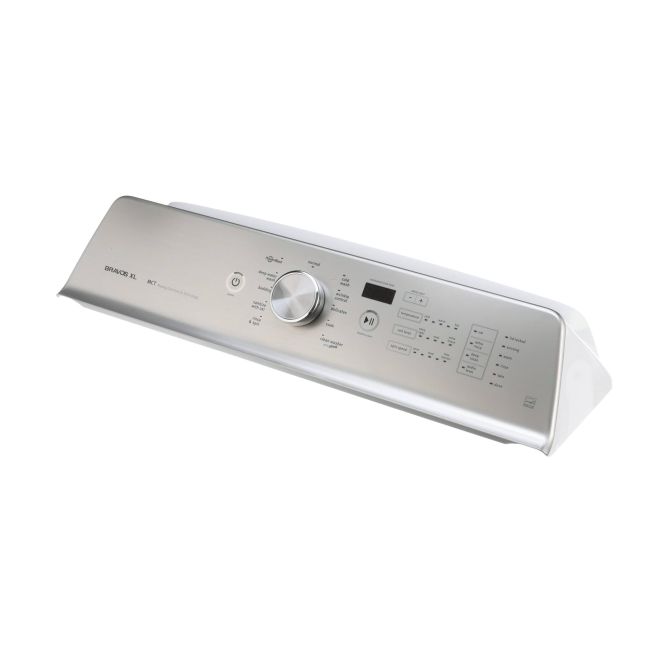
W10861510 Whirlpool Washing Machine User Interface Console Assembly
Genuine OEM NEW Part W10861510
Availability:
In stock
In stock items are shipped the same day on all orders made before 4 PM Eastern Time. Orders made after 4 PM Eastern Time, Weekend or a Holiday will ship the following business day.
Part Number:
W10861510
Manufactured BY:
Whirlpool
Condition:
Genuine OEM NEW
Payment:
Dispatched From:
ApplianceParts4All
Part number W10861510 replaces: AP5999404, PS11731606, W10650404, 4384002, EAP11731606, OEM17998217.
Special Price
$200.99
Regular Price
$260.99
(23% off)
Washing Machine User Interface Console Assembly
Whirlpool manufactures a range of brands, including Amana, KitchenAid, Maytag, Jenn-Air, Magic Chef, Roper, and Admiral. Additionally, Whirlpool produces items for Sears-Kenmore and Ikea. This control panel is specifically designed for washing machines and is located at the top back area of the appliance. It features a display and multiple buttons to manage various functions of the machine, such as starting and stopping the drain pump and drive motor.
If the display malfunctions or the washer fails to spin, fill, or drain, the control panel might be the problem. In such cases, replacing the control panel is necessary. For safety, wear work gloves and unplug the washing machine by pulling it away from the wall. Remove the control knob from the front of the console panel and access the back of the appliance. Unscrew the top of the back panel and push the control panel back while using a putty knife under the right corner to release the mounting clip. Repeat this on the other side. Make sure to document the wire connections before removing the control panel. Install the new part and reconnect all the wires.
This control panel is intended for Maytag washing machines and is an authentic OEM replacement part sourced directly from the manufacturer. It is sold individually.
Whirlpool manufactures a range of brands, including Amana, KitchenAid, Maytag, Jenn-Air, Magic Chef, Roper, and Admiral. Additionally, Whirlpool produces items for Sears-Kenmore and Ikea. This control panel is specifically designed for washing machines and is located at the top back area of the appliance. It features a display and multiple buttons to manage various functions of the machine, such as starting and stopping the drain pump and drive motor.
If the display malfunctions or the washer fails to spin, fill, or drain, the control panel might be the problem. In such cases, replacing the control panel is necessary. For safety, wear work gloves and unplug the washing machine by pulling it away from the wall. Remove the control knob from the front of the console panel and access the back of the appliance. Unscrew the top of the back panel and push the control panel back while using a putty knife under the right corner to release the mounting clip. Repeat this on the other side. Make sure to document the wire connections before removing the control panel. Install the new part and reconnect all the wires.
This control panel is intended for Maytag washing machines and is an authentic OEM replacement part sourced directly from the manufacturer. It is sold individually.
Write Your Own Review
Loading compatible models...
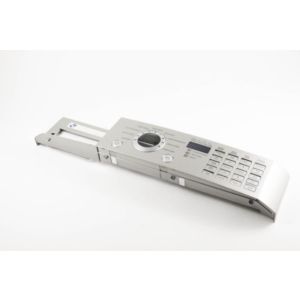
3721ER1317C LG Washing Machine Control Panel Assembly
Special Price
$157.99
Regular Price
$204.99
(23% off)
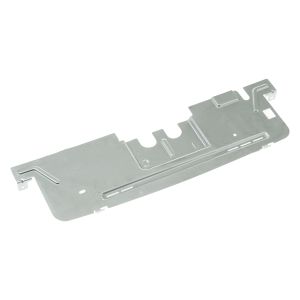
WH10X28195 General Electric Washing Machine Rear Panel
Special Price
$42.99
Regular Price
$61.99
(31% off)