
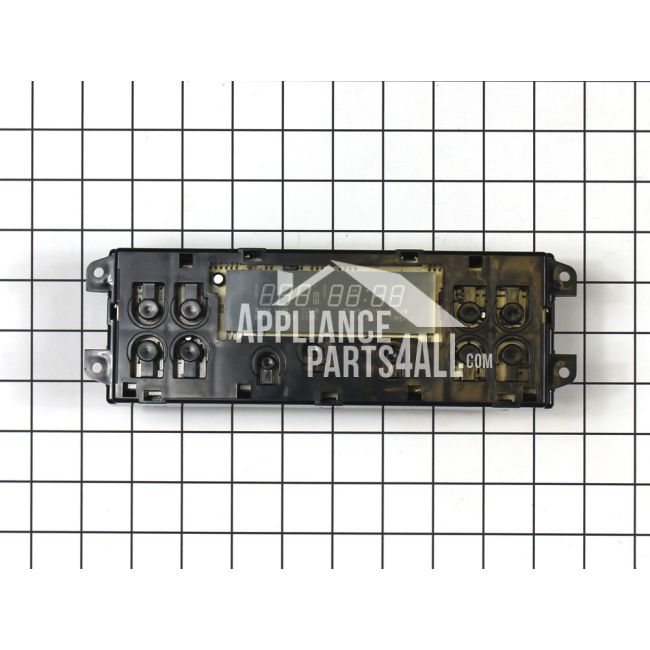
WB27K10147 General Electric Oven Control Board for Ge Range/Stove/Oven
Genuine OEM NEW Part WB27K10147
Availability:
No longer available
Part Number:
WB27K10147
Manufactured BY:
General Electric
Condition:
Genuine OEM NEW
Payment:
Dispatched From:
ApplianceParts4All
This manufacturer part number # WB27K10147 replaces our competitors' part numbers: AP3792953, 1086152, AH953678, EA953678, PS953678, WB27K10088.
Special Price
$233.99
List Price
$413.99
Save 43%
Oven Control Board for GE Range/Stove/Oven.
GE products, including Hotpoint, General Electric, and Sears-Kenmore, offer this OEM replacement part. The control board is a crucial component in managing the primary functions of your oven. If you notice that your oven is not heating correctly, fails to turn on, or displays an error message, it may be necessary to consider replacing the control board.
The replacement process is straightforward. Begin by disconnecting the stove's power supply. Next, pull the appliance slightly forward to access its rear. Remove the upper back panel to expose the control board. Use your phone to take a photo of the wire connections for reference. Disconnect the wire harness from the existing control board, and use needle-nose pliers to remove any separate wires. Attach these wires to the corresponding terminals on the new control board, secure it in place, and then reattach the upper back panel.
This part is designed to fit GE, Hotpoint, and RCA range ovens, ensuring compatibility and reliability.
GE products, including Hotpoint, General Electric, and Sears-Kenmore, offer this OEM replacement part. The control board is a crucial component in managing the primary functions of your oven. If you notice that your oven is not heating correctly, fails to turn on, or displays an error message, it may be necessary to consider replacing the control board.
The replacement process is straightforward. Begin by disconnecting the stove's power supply. Next, pull the appliance slightly forward to access its rear. Remove the upper back panel to expose the control board. Use your phone to take a photo of the wire connections for reference. Disconnect the wire harness from the existing control board, and use needle-nose pliers to remove any separate wires. Attach these wires to the corresponding terminals on the new control board, secure it in place, and then reattach the upper back panel.
This part is designed to fit GE, Hotpoint, and RCA range ovens, ensuring compatibility and reliability.
Write Your Own Review
Loading compatible models...

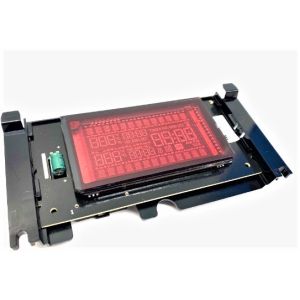
W11128223 Whirlpool Display Board Assembly for Ranges and Ovens
Special Price
$204.99
List Price
$344.99
Save 41%